

You open Google Analytics, and the numbers are right there. Over 60% of your website traffic is coming from mobile devices. But when you compare your conversion rates, the mobile results are sitting at roughly half of what desktop delivers. People are finding you on their phones. They're just not sticking around long enough to do anything about it.
That gap between mobile traffic and mobile conversions is one of the most common (and most expensive) problems Australian businesses face online. And in most cases, it traces back to how the website was built in the first place.
Most sites were built for desktop screens and then adapted for phones. That adaptation usually means slow load times, menus that don't quite work on a smaller screen, buttons too small to tap, and contact details buried three scrolls down. People don't stick around for that. They hit back, pick the next result, and you've lost them before they even saw what you offer.
The way your site performs on a phone directly impacts where you rank, how long visitors stay, and whether they convert. That's what mobile-first web design comes down to. Below, we'll cover what it means, why it matters for Australian businesses, and the practical steps to get there.
What Mobile-First Web Design Actually Means
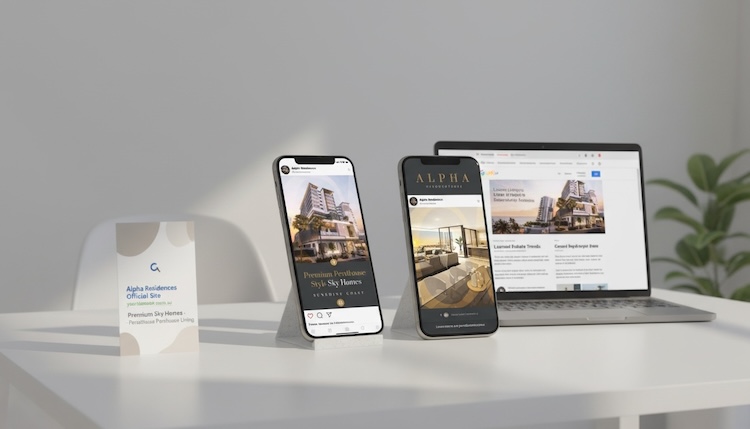
Mobile-first web design is exactly what it sounds like. You should prioritise the mobile version of the website when planning your pages. Everything from the strategy to the wireframing to the designs focuses on the mobile experience as the primary concern, and the desktop sort of just falls in line based on what you've come up with for mobile.
That's the opposite of how web development traditionally worked. Desktop was the main focus for web design for years, and the mobile version was an afterthought. But with mobile devices taking over and people essentially attached to their phones, mobile-first website design has become the standard.
What makes this approach different is the constraint it forces. On a small screen, every element has to earn its place. There's no room for decorative clutter, bloated menus, or oversized hero images that push the actual content below the fold. Mobile-first design forces you to prioritise what really matters, and that usually makes the whole site better across all devices.
Where the SEO Wins Come From
For a few years now, Google has ranked websites based on their mobile version, not their desktop version. That's mobile-first indexing, and it's not new, but many business owners still don't realise what it actually means for them. To put it simply, Google sees what your mobile visitors see. If that experience is poor, your rankings reflect it. Google primarily evaluates the mobile version of your site when deciding where you sit in search engine results pages, so whatever is on your mobile site is what counts.
On top of that, Google uses a set of metrics called Core Web Vitals to score how your site actually performs, and there are three things it's looking at:
- Largest Contentful Paint (LCP): How quickly the main content on your page loads. If your biggest image or text block takes too long to appear, you're penalised.
- Interaction to Next Paint (INP): How fast your site responds when someone taps a button or clicks a link. Laggy responses frustrate mobile users and hurt rankings.
- Cumulative Layout Shift (CLS): How stable your page is as it loads. If buttons and text jump around while things are still rendering, that's a poor user experience, and Google measures it.

From a practical standpoint, mobile-first web design tends to perform well here because things are built to be more efficient from the start. Images don't need to be as large, code is leaner, and pages load faster. That's not always the case with every build, but when mobile-first design is done well, the performance gains are significant.
The SEO wins go beyond just speed, though. Content sits at the centre of everything with SEO now, and mobile-first design opens up some real opportunities to drive engagement. Because you're working with a smaller screen, you naturally end up using tabs, sliders, and buttons that people interact with. Google measures how long someone spends on a section and whether they interact with those elements. If your content is interesting enough to get someone to click through tabs or engage with interactive elements, you're sending strong engagement signals. That's a genuine advantage that you don't get from a static desktop layout just stacked vertically on a phone.
It's a bit of a double-edged sword, though. Fitting large amounts of SEO content into a small mobile screen is one of the most challenging parts of mobile-first design. But when it's done well, using interactive elements to break up that content, it turns that constraint into a win.
Mobile devices now account for approximately 59% of total web traffic in Australia, with mobile internet usage climbing year on year. Mobile download speeds nationwide exceed 120 Mbps thanks to the widespread 5G rollout, meaning mobile users expect pages to load just as fast as on a desktop connection. The 25 to 34 age group is the largest mobile user segment in Australia, but the 55-plus demographic is the fastest growing. More than half of all web traffic comes from mobile devices across virtually every age bracket. If your site doesn't deliver a seamless mobile experience, you're losing potential customers regardless of who your audience is.
The Real Cost of Getting It Wrong
Across Australian benchmarks, mobile users convert at roughly 1.8% compared to 3.2% on desktop. That's not because mobile users don't want to take action; it's because poor mobile experiences make it harder for them to do so.

Research has consistently shown that over half of mobile visits are abandoned when page load times exceed three seconds, making speed optimisation impossible to ignore.
The damage doesn't stop with one lost visitor, though. Google is watching what happens after someone lands on your site. If they leave quickly, don't engage, and head straight back to the search results, that's a signal. Enough of those signals and your rankings start sliding, which means less organic traffic overall and fewer chances to convert anyone.
The tolerance for friction on mobile is also almost zero. On desktops, people are used to scrolling and adjusting to get through content. On a phone, they won't. They'll hit back, go to Google, and pick the next result. That attention span issue becomes really critical because every small UX problem, a button that's hard to tap, a form that doesn't work, a page that shifts around as it loads, is enough to lose someone for good.
Frame it as a revenue question. If 60% of your traffic is on mobile devices and half of those visitors leave because your site is frustrating to use, what does that cost you each month? For most service-based businesses, even a modest improvement in mobile conversion rates translates directly into more enquiries, more bookings, and more revenue from the traffic you're already getting.
What Good Mobile-First Design Looks Like
There's no shortage of mobile-first advice online, but most of it doesn't get specific enough to be useful. Here's what actually moves the needle based on what we see working (and not working) day to day.
Use Your Screen Real Estate Well

On mobile screens, the most important information and your primary call to action need to be visible without scrolling. This may seem obvious, but it's one of the most common issues we encounter.
"You see a lot of mobile sites that look great. They look really pretty. And when they load on the mobile, they're visually impressive. Because it loads, and there's a video playing in the background and a little text over the top. But there's no phone number. There's no button to contact them. You've got to scroll to find anything beyond that pretty video." — Matthew McDonald, Project Manager at Websites That Sell
Your phone's prime screen real estate is tiny, so use it for the things that actually convert. For service-based businesses, that means a phone button and a clear call to action visible on load. One approach that works well when clients still want that visual impact is to fix a set of buttons at the bottom of the screen, such as the menu, phone, and key CTA. It's always there, it doesn't interfere with the design, and because a mobile screen has so much more height than width, you can afford to give up a thin strip at the bottom without it affecting the look and feel.
Get Your Content Hierarchy Right
Content hierarchy is where a lot of mobile-first design either works or falls apart. The biggest mistake is trying to fit too much in. You end up with three or four full scrolls of text, and you can almost guarantee people aren't reading all of it.
The problem gets worse when later sections reference things from earlier in the page that users have already scrolled past without reading. That disconnect confuses people, and confused visitors bounce. The fix is to keep essential content short, use bullet points to summarise key information, and break everything into bite-sized chunks. One or two sentence paragraphs, an image or a call to action between sections, then another couple of sentences. It's the same principle that's worked on long-form sales pages for years, and it works because it matches how people actually read on a phone.
Hook Them More Than Once
This doesn't get talked about enough, but grabbing attention at the top of the page is only step one. On mobile, you need to re-hook people every couple of scrolls. Even big players like Apple have call to actions almost every scroll when operating their site on mobile.

"Social media has burnt that part of the brain. So you've got to keep reeling them back in and keep that interest coming back." — Matthew, Project Manager at Websites That Sell
Whether it's a strong visual, a callout, an interactive element, or a clear CTA, you need something at regular intervals that stops the scroll. If there's a long stretch of nothing but text, you'll lose them. That one-to-two-second attention span that social media has trained into people doesn't switch off just because they've landed on your website. You've got to hook them at the top, and then keep doing it all the way down the page.
Touch-Friendly, Thumb-Reachable Navigation
Buttons and interactive elements need to be sized for fingers, not cursors. Mobile users tend to navigate with one thumb, so primary actions should sit within comfortable reach. Intuitive mobile navigation means sticky menus that don't eat up the screen and let users reach your key pages in 1 or 2 taps.
Responsiveness across different screen sizes matters more than most people assume. It's not just phones versus desktops, even within mobile, the variation is significant. An older iPhone SE has a much smaller screen than the latest model, and if the layout doesn't adjust properly, you end up with text running off the edge of the screen, lightbox images that open at desktop size so you can only see a corner, or long URLs that push the whole page wider than it should be. All of that dead space and misalignment adds up fast.
Speed Built In, Not Bolted On
A mobile-first approach prioritises lightweight design elements, optimised images, and efficient coding to ensure rapid load speeds from the start. This is different from building a heavy desktop site and then trying to strip it back for mobile after the fact. When the mobile version is the starting point, the site is built lean from day one, and that consistently produces faster load times.
Compress images. Use lazy loading for off-screen content. Minimise render-blocking code. Page speed on mobile is non-negotiable, both for user satisfaction and for search engine performance.
Simplified Forms and One-Tap Actions
Mobile users will not fill out a 12-field contact form on a phone screen. Fewer fields, smart defaults, and autofill-friendly forms remove friction. For service-based businesses, click-to-call buttons and integrated maps are essential content that should be easy to find. For mobile commerce, digital wallet support and streamlined checkout processes directly improve conversion rates.
Readable Without Zooming
If someone has to pinch-to-zoom to read your content, the design has failed. This sounds basic, but it's still one of the most common issues on sites designed desktop-first and adapted for smaller screens.
You can do a quick audit of your own website by pulling it up on your phone right now. Can you find your phone number in under three seconds? Can you fill out your contact form with one thumb? Does everything load in under three seconds on 4G? If the answer to any of those is no, you've found your starting point.
Mobile-First vs Responsive Design: Clearing Up the Confusion
This is the most common misconception we hear from business owners. "My site is responsive, so I'm covered." Not necessarily.
Responsive design handles the layout side of things, adapting your site to fit whatever screen it's being viewed on. Every site needs that, but responsive doesn't mean mobile-first; it just means the site rearranges itself. How well it actually works on a phone is a different question entirely.
A responsive site that was built desktop-first often inherits desktop bloat. Heavy images scaled down but not properly compressed, complex menus collapsed into hamburger icons that still load the same scripts, and desktop versions of content simply stacked vertically on smaller screens without anyone rethinking the hierarchy or user experience.
Mobile-first design is a design philosophy and web development approach, whereas responsive design is a technical implementation. The best sites are both designed mobile-first and built responsively, progressively enhancing the experience as screen sizes increase.
Think of it this way, responsive design is like renovating a large house to fit on a smaller block. You can make it work, but you're always compromising. Mobile-first design is building for the smaller block from the start, then adding rooms as the space allows. With this, the foundation is right from day one.
A Note on When Desktop Still Leads
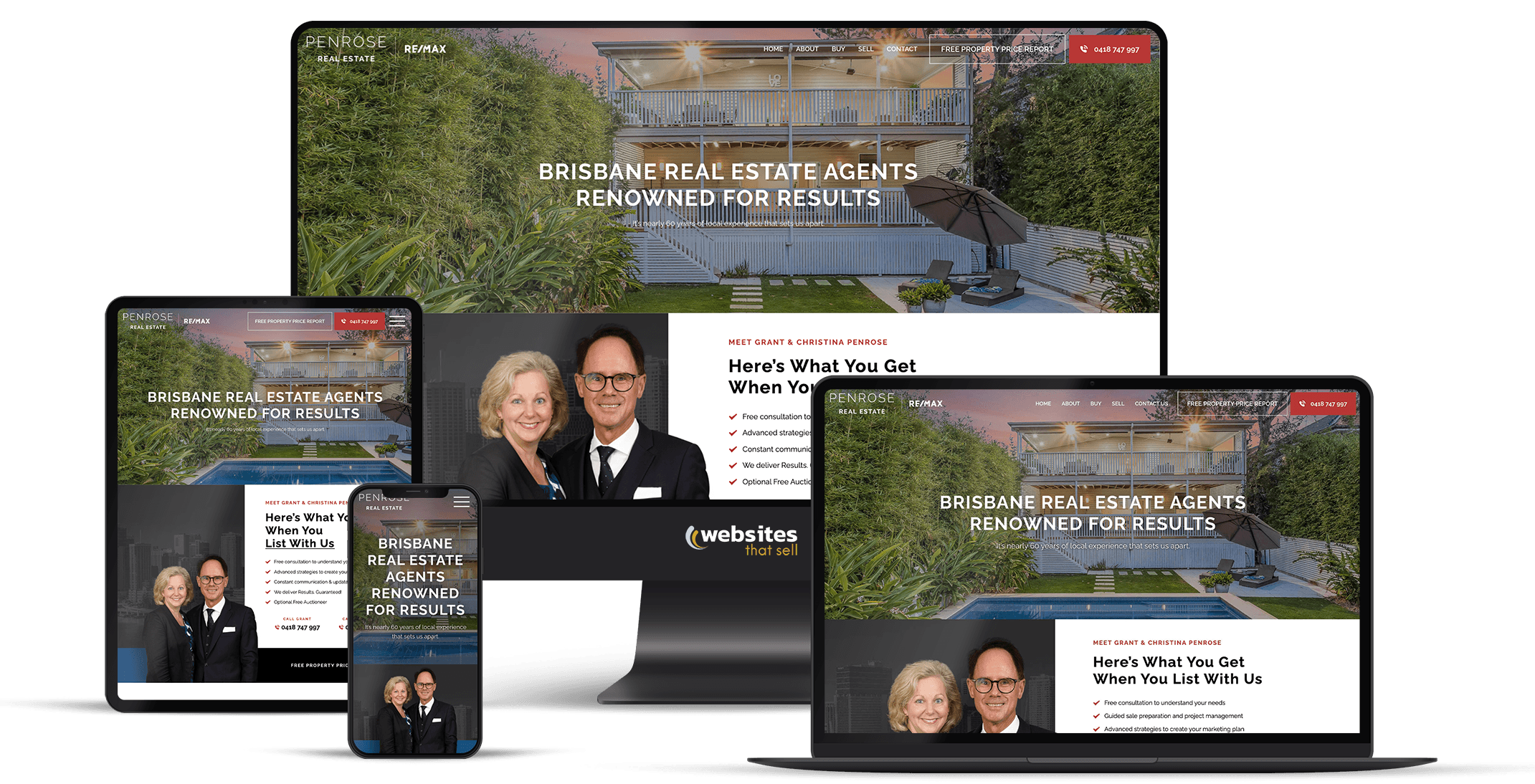
Not every business needs mobile-first to the same degree. For industries that are more image-driven or visual, like architecture, interior design, or photography, the desktop version is probably still where conversions happen. People want to see those images in a big format on a larger screen. In those cases, the mobile version might be what hooks someone and grabs their attention, but the desktop experience is what closes the deal. The relationship between the two isn't always as straightforward as it is for a plumber or a dentist. That is why knowing your audience and your industry is so important.
How to Shift From Desktop-First to Mobile-First
If you've already got a site that's been around for a while, especially one that's had SEO work done, there are a few practical steps to start the transition.
Start by Trimming the Fat
Many businesses, particularly those that have been doing SEO for a long time, have a lot of bloat in their content. Go through, keep what's important, and cut the rest. But ensure you do it carefully.
"You don't want to go in and just start hammering stuff like you're going through it with a machete. You want to go in like you're using a scalpel, taking little bits out, letting it sit for a few days, seeing how Google responds to it." — Matthew, Project Manager at Websites That Sell
Occasionally, you'll take something out and notice rankings dip, which tells you Google considers that content important. That feedback loop is how you figure out what your pages really need versus what's just noise.
Look at What Competitors are Doing
Not to copy, but to learn. Look at other businesses in your industry that have gone mobile-first. You'll find just as many things to avoid as you will ideas to borrow. Being a little critical of how others have handled it is one of the best ways to inform your own approach.
Bring in Someone Who Knows Mobile-First Specifically
This sounds obvious, but not every designer or web developer focuses on mobile-first. The traditional approach of designing for a desktop and then condensing it down to a skinnier screen, stacking things on top of each other, is still common. That can work in some cases, but it produces a different result than genuine mobile-first web design. Look for someone with real experience building mobile-first, not just making desktop sites responsive.
Have a Proper Set of Brand Guidelines Ready
If a designer has your brand guidelines from the start, it's much easier to strategise how content will fit into a mobile-first layout. It saves a lot of back-and-forth during the design process and results in fewer revisions.
How to Check If Your Site Is Mobile-Friendly

You don't need a developer to run a basic mobile health check; there are a few simple things you can do yourself:
- Google's PageSpeed Insights is free. Enter your URL, switch to the mobile tab, and review your scores for performance, accessibility, and Core Web Vitals. If your mobile score is under 50, that's a problem worth addressing.
- Google Search Console's mobile usability report flags specific issues Google found during its crawl of your site. Things like text too small to read, clickable elements too close together, or content wider than the screen. These are exactly the friction points that hurt your user experience and your rankings.
- A manual test, which involves browsing your own site on your phone for five minutes as if you were a brand new customer. Find a service page, read the content, submit your contact form, and note every point where you feel friction. If you can't comfortably complete your own enquiry process on a mobile device, neither can your customers.
Where Mobile-First Design Is Heading
The way people use their phones keeps changing, and mobile-first design has to keep up. Voice search is growing as more people talk to their phones instead of typing. And AI is starting to appear directly on websites, which changes how mobile content works in some interesting ways.
Rather than having people scroll through full pages of content looking for answers, the direction things are heading is more conversational. People come to a page and interact with it more like an FAQ. They ask questions, the site gives them the answers they're looking for, and it suggests other relevant content based on what they're trying to learn. That means the traditional style of engagement might be reduced, but people will find what they need faster and more efficiently.
The challenge for businesses is that as this gets easier for users, you'll need to feed your website with more and higher-quality information to serve the different types of people who land on your pages. A mobile-first foundation built now puts you in the best position to adopt those emerging technologies as they mature.
What to Do Next
If you're building a new site, insist on mobile-first website design from the outset. Not as an afterthought bolted on at the end of the web development process.
If you have an existing site, start by figuring out what's actually costing you. A mobile UX audit identifies the specific friction points hurting your traffic and conversions before you commit to a full rebuild. Sometimes it's targeted fixes, and sometimes it's a ground-up rethink. Either way, start with the data.
The returns are real, and they're measurable. If your mobile conversion rate goes from 1.8% to even 2.5%, that's a meaningful jump in leads without spending a cent more on getting traffic to your site. You're just converting more of the people who are already showing up. Right now, that gap is money walking out the door every month.
And mobile-first design isn't going anywhere. It's how SEO works now. The longer you sit on a site that doesn't perform on mobile, the more ground you're giving up to competitors who've already sorted theirs out.
Not sure where your site stands? Run it through Google's free PageSpeed Insights tool for a quick snapshot. Or if you want a proper assessment from people who do this every day, our team at Websites That Sell can walk you through what's working, what's not, and what to prioritise first. Give us a call and let's get the conversation started.