

When people think about improving their ecommerce store, site architecture is rarely the first thing that comes to mind. Usually, it's ads, or maybe product photos, or getting the checkout flow to stop leaking conversions. Architecture feels technical. Boring, even. And so it gets pushed to the bottom of the list, or skipped entirely.
Which is a shame, because it's probably one of the most important decisions you'll make for your store.
Discover why site architecture matters more than most ecommerce businesses realise, where things typically go wrong, and what a solid foundation actually looks like in practice.
What is Site Architecture?
At its core, site architecture is just how your website is organised. How your pages link to each other, how your URLs are structured, how categories relate to products, all of that. It's the blueprint underneath everything else.
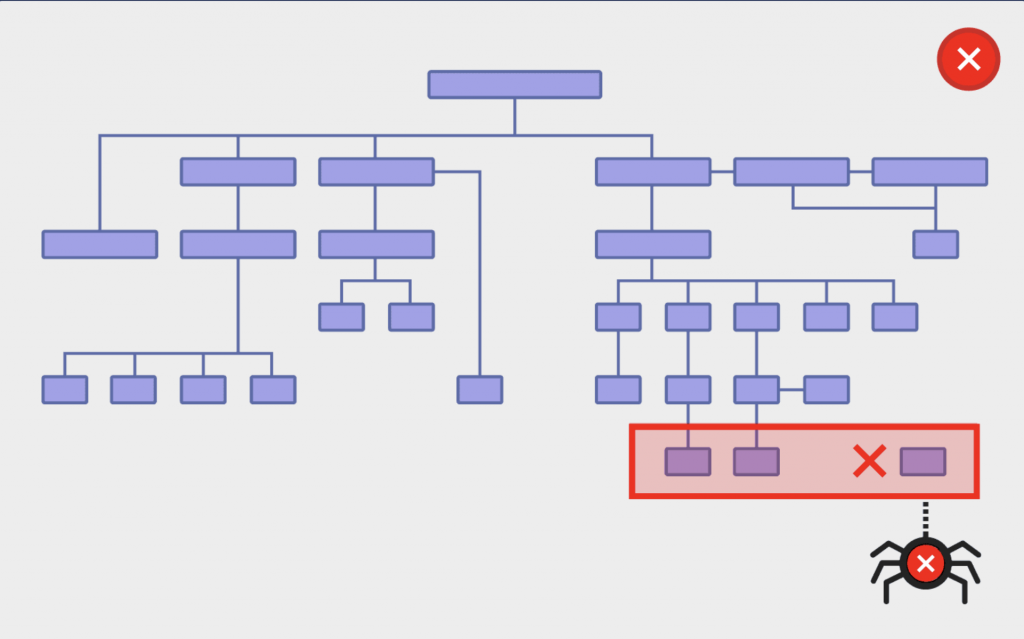
A useful way to think about it: it's the foundation of a building. You can renovate the interior all you want, but if the foundation is off, there's a limit to how much you can do. And at some point, those cracks start showing up in places you didn't expect.
Site Structure That Actually Works
Here's the thing about ecommerce sites: they actually lend themselves really well to good architecture, almost by default. The problem is when people don't follow the natural structure that's already there.
Generally, you've got your homepage, that's who your business is. Then under that, you've got your top-level categories. And then your products live under each one of those categories.
Homepage. Categories. Products. That's it. It sounds almost too simple, but you'd be surprised how often it goes sideways.
One of the most common mistakes we see is stores that skip the category layer entirely. Every product just lives directly under the homepage, or under a generic "products" page with no real grouping. From a user perspective, it's confusing. From Google's perspective, it's worse; the algorithm genuinely can't tell what belongs where or what the site is actually about.
The other failure mode is almost the opposite problem: going too deep. Too many subcategories, too many layers, too many clicks before you reach anything you can actually buy. One rule of thumb is three clicks, maximum, from the homepage to any product. Beyond that, you're asking too much of people.
A Clean Store Matters Online as Much as In Person

Imagine a physical shop where the same product is stocked on five different aisles. No clear labelling. No logical layout. And if you ask a staff member whether the version on aisle one is different from the one on aisle five, they're not sure either.
They get frustrated, click back, and leave your site altogether for your competitor.
That's it, really. The online experience isn't all that different from the physical one. People want to find what they're looking for without having to think too hard about it. When the structure is a mess, they don't stick around to figure it out.
And there's a technical cost to disorganisation too, beyond just the user experience. Duplicate products scattered across a site mean the server is pulling in multiple versions of the same thing every time someone loads a page. On ecommerce sites, where pages are often generated dynamically based on filters rather than served as static pages, that extra load adds up faster than you'd expect.
What Google Sees When It Crawls Your Site
This is where site architecture stops being just a UX conversation and starts being an SEO one too.
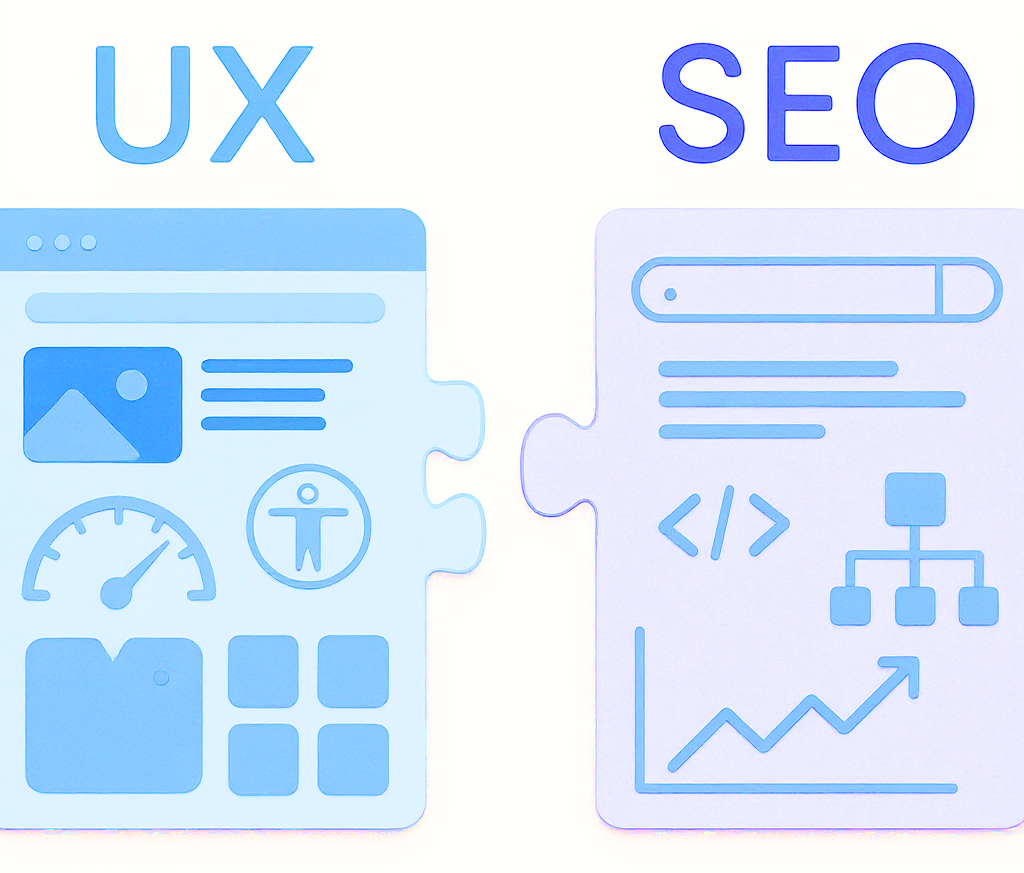
Search engines don't browse your site the way a human does. They send bots. Those bots read your structure and try to understand what your site is about, and a well-organised site makes that job straightforward. Google can see the brand, the categories, and the products within each category. In SEO, this kind of organised structure is called a silo, and ecommerce sites, when they're done properly, are natural silos.
We work with a client in the outdoor lighting space, specifically, festoon lights. Not a major brand. Not a household name. But because the site's architecture gave Google a clear picture of what the business sold and to whom, that client now competes for search traffic alongside Bunnings and Kmart. People searching for festoon lights find them, even if they've never heard of their brand.
That's the kind of leverage good architecture gives you. It's not glamorous, but it compounds.
On the flip side, disorganised sites create what's called a duplicate content problem. When the same product exists in multiple places, Google has to decide which version to show in search results. Sometimes it gets it wrong. Sometimes it splits the ranking power across all versions instead of concentrating it on one. There's a technical fix, a canonical tag, which tells Google "this is the real version, index this one,” but that's a patch. A clean structure is always better than relying on patches.
Breadcrumbs and Mobile: The Stuff That Gets Overlooked

Two things that tend to fall through the cracks when people are thinking about architecture: breadcrumbs and mobile navigation.
Breadcrumbs are those small navigation trails you see at the top of product pages — Home > Lighting > Festoon Lights > Classic Warm White. They seem minor, but they're far from it. They let customers jump back up to a category in a single click, which matters a lot on mobile, where navigation is already more cumbersome.
The catch is that out-of-the-box breadcrumb plugins don't always behave the way you'd expect. If a product sits across multiple categories, the breadcrumb might show the wrong one. Or it skips the category level entirely, jumping straight from the product back to the homepage, which isn't that useful if someone's still browsing and wants to see what else is in that category.
We often have to write custom code to fix breadcrumb structures on inherited sites. It's more common than you'd think.
Mobile navigation has a similar issue. Your menu should reflect your site's actual structure, with categories visible and easy to tap, not buried behind ambiguous icons or squeezed into an afterthought hamburger menu. If your mobile menu is a stripped-down version of your desktop one, you're giving mobile users a worse map to work with. That's probably not intentional, but it happens a lot.
The Shopify vs WooCommerce Debate
Platform choice and architecture are more connected than most people realise.
Shopify is excellent for pure ecommerce businesses, especially those with strong brand recognition, where paid ads are doing most of the heavy lifting. The integrations are hard to beat, and for businesses that need multi-warehouse or multi-location logistics, it's genuinely built for that kind of complexity.

But if SEO is a significant part of how you acquire customers (and for many smaller and mid-sized ecommerce businesses, it is), we lean toward WooCommerce with WordPress. WordPress was built as a content platform first, and that DNA makes it more flexible for building proper silo structures and for weaving blog content into the ecommerce side of things. Shopify has a blog, but it's limited in how it integrates with the store architecture to support organic search.
That said, Shopify sites can absolutely rank well. It's not black and white. It's more about knowing what you're building and choosing accordingly.
As for everything else, Squarespace, BigCommerce, the rest, we rarely recommend them. Not because they're terrible, but because the flexibility just isn't there in the same way.
Thinking Ahead Before You Build is Key
Think about where your business is going in the next three to five years before you settle on your architecture.
What new product lines might you add? New categories? New markets? If your structure is set up correctly from the start, growth is relatively straightforward: you add a category, populate it with products, and the whole thing scales naturally. If you've built on a shaky foundation, every expansion becomes a bigger project than it needs to be. Bringing in an ecommerce experienced developer or an ecommerce SEO expert from the get-go can pay endless dividends in the long term.

Getting those basics right is really key to scaling. It's not a complicated idea, but it's one that's easy to skip when you're just trying to get a store live.
What Will Be AI’s Impact On a Site’s Architecture?
This is a fair question, and one that our clients are asking in bulk right now. But let me ground you for a moment.
AI hasn't changed the fundamentals of site architecture.
What it has done is raise the stakes for getting them right. To enable AI to easily understand your website, you need a good site structure and to silo your site correctly. Simpler, clearer structures communicate better with all software, whether it's a Google crawler or an AI-powered search engine.
If anything, the direction of travel just keeps pointing back to the same basics. Which could be seen as anticlimactic, but is reassuring nonetheless.
How You Should Think About Your Site's Architecture
Site architecture isn't exciting. It's not the kind of thing you post about or brag about to other business owners. But it's foundational in a way that very few other things are, and the damage from getting it wrong tends to compound quietly over time, making every other improvement you try harder than it should be.
Keep it flat. Keep it organised. Think in categories. Don't make people, or search engines, work harder than they need to.
If you're not sure whether your current site structure is helping or hurting you, reach out to our team, and we can help you figure out where things stand.